Setting up Reward Points
Connect a Customer
To use a customer's reward points toward a purchase you must first select the customer. Visit the Adding a Customer to a Transaction page for more information.
Redeeming a Reward
Once a customer is assigned to a transaction you should see the "Use Reward Points" button at the bottom of the screen.
Selecting a Reward
The rewards points screen will present the rewards that are available to the customer based on how many points the customer has available in their account and the redemption tiers set up for the location.
Select the reward you would like to apply to the transaction and you will see it displayed as a line item in the transaction.
Once you are done adding reward points, you can complete the transaction like normal.
Earning Reward Points
Reward points are awarded based on full dollars spent. Customers will only receive points for the Subtotal (before taxes) of the transaction. They will not receive points for the amount deducted from points used.
As seen in the image above, If the reward chosen is a dollar-off discount, the discount is applied as a new line item on the transaction, which reduces the transaction total and does not affect the consigned item price or split.
As seen in the image above, If the reward chosen is a dollar-off discount, the discount is applied as a new line item on the transaction, which reduces the transaction total and does not affect the consigned item price or split.
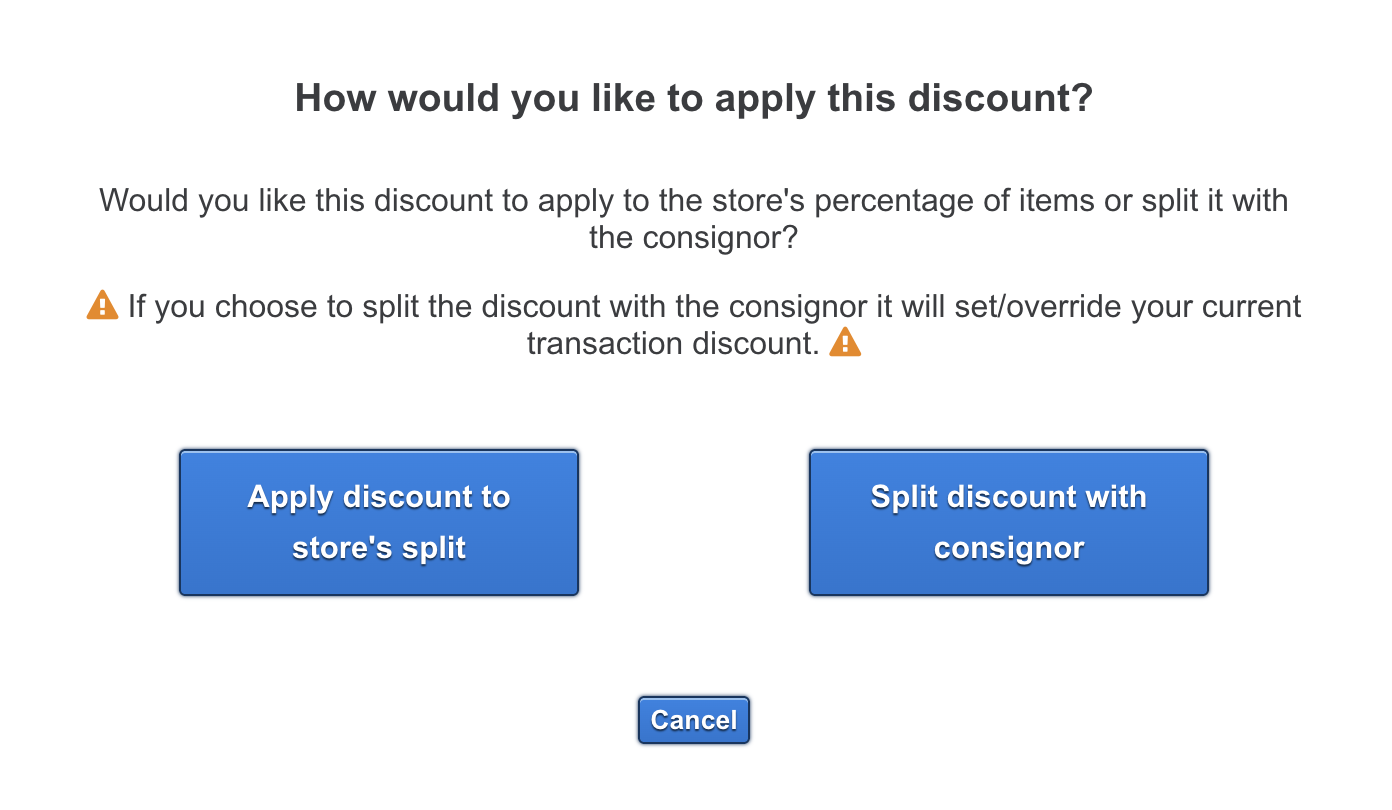
As seen in the image below, if the reward chosen is a percentage-off discount, you will have the choice at checkout to apply the discount to the store split or split the discount with the consignor.